Silent Shark System Requirements
PC specs for chart-heavy command — Windows, macOS, and Linux at the August 2026 Steam launch.
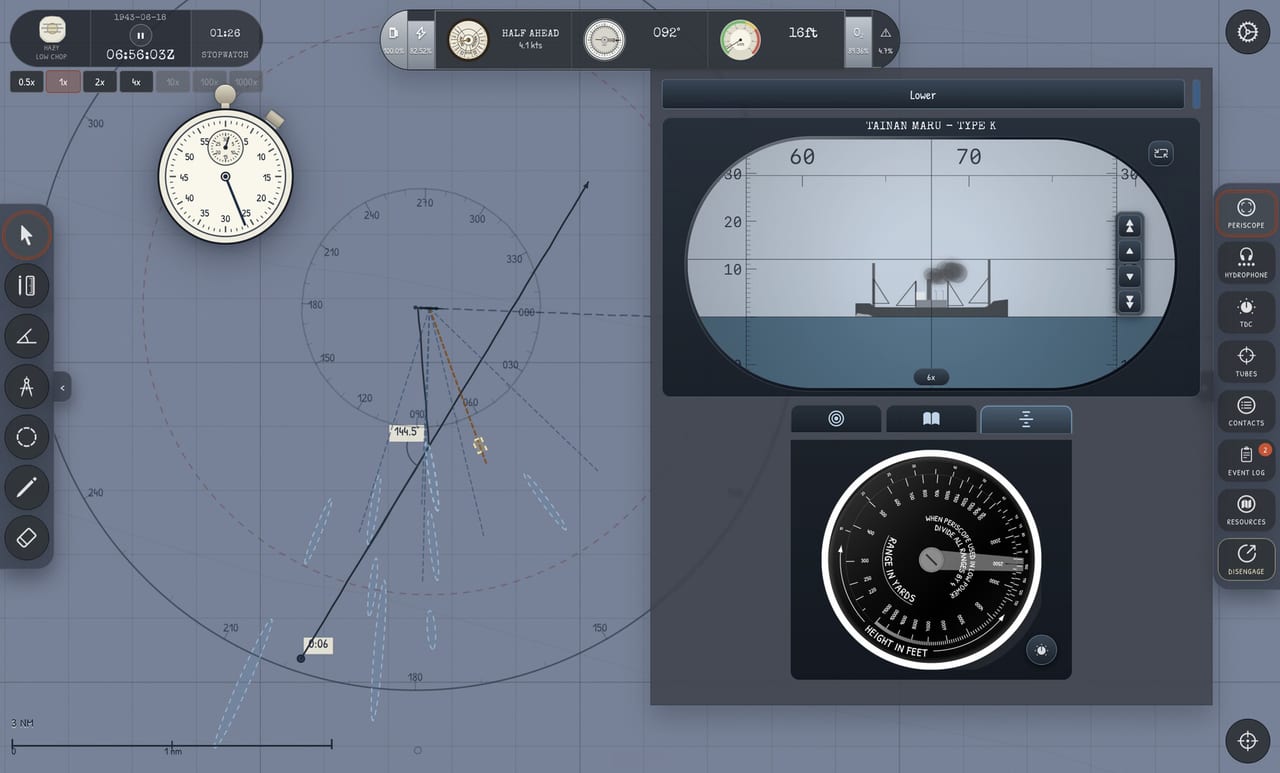
Silent Shark targets Windows, macOS, and Linux through Steam for the August 12, 2026 launch, with a free demo available now to test performance on your hardware. Official minimum and recommended specs may be updated on the Steam store page before release; this wiki page interprets typical needs for a 2D chart-forward sim with stylized 3D periscope views — not a AAA open-world title.
Expected official platforms
- Windows 10/11 (64-bit)
- macOS (Apple Silicon and Intel — confirm exact minimum version on Steam at launch)
- Linux (Steam Play / native — follow store badges at 1.0)
Mobile ports are planned separately and are not covered here.
Hardware guidance (wiki estimate)
Silent Shark emphasizes UI, chart rendering, and short periscope scenes. Mid-range laptops should run adequately if they handle indie 2D/3D hybrids.
| Component | Conservative note |
|---|---|
| CPU | Modern quad-core handles sim + UI; chart tools are not heavily multithreaded |
| GPU | Integrated graphics likely sufficient at 1080p; discrete GPU helps on high-DPI laptops |
| RAM | 8 GB minimum practical; 16 GB comfortable for browser + wiki second monitor |
| Storage | Small indie footprint expected; SSD improves load times for scenario generator |
| Display | 1080p minimum; 1440p benefits chart detail; ultrawide nice for chart + instruments |
Verify against Steam-listed specs when published — treat this table as player guidance, not official legal requirements.
Input devices
- Mouse strongly recommended for chart ruler work — see Map Tools.
- Keyboard for station switching — Keyboard and Mouse.
- No HOTAS required.
Performance tips
- Close background browser tabs if running browser demo simultaneously.
- Lower UI scale only if text becomes illegible — chart readability matters more than FPS bragging.
- Prefer Steam demo over browser if integrated GPU struggles with WebGL.
- Disable unnecessary overlays (Discord, etc.) during convoy tutorials where focus helps learning, not raw frames.
Accessibility and comfort
Long patrols in full campaign may run hours — ergonomic seating and external mouse reduce fatigue. Pause is available for plotting breaks. Color and contrast follow instrument theming; check settings menus in demo for adjustments as release nears.
Demo as benchmark
If the Silent Shark Demo runs smoothly on your machine, expect similar performance from the full release attack systems. Campaign map layers may add load — re-test at launch via Launch Notes.
Related
Storage and install
Indie footprint expected modest — SSD recommended for quick scenario generator reloads during practice sessions rather than mandatory GPU requirements.
Steam Deck note
Unofficial Deck compatibility may work via Proton but chart mouse precision suffers on trackpads — verify with demo before committing to Deck-only play.
Browser demo vs Steam demo
Browser build convenient for first look; Steam demo typically smoother for long Attack Checklist sessions. If browser stutters on integrated GPU, switch to native Steam demo.
Display recommendations
1080p minimum; 1440p improves chart detail. Ultrawide pleasant for chart plus instruments if UI scaling configured.
Network requirements
Single-player sim — no always-online requirement expected. Steam cloud optional sync for campaign saves.
Audio hardware
Headphones or decent speakers recommended for hydrophone pitch discrimination between merchants and escorts — not strict requirement but strong quality-of-life improvement.
Long session comfort
Campaign patrols may run long; ergonomic setup matters more than GPU tier for enjoyment.
Summary
Run the free demo on your target hardware before wishlisting the full August 2026 release. If chart and periscope perform smoothly, expect similar campaign performance — confirm final official specs on Steam at launch.
Peripheral notes
Large mousepad helps low-sensitivity chart panning. Mechanical keyboard optional; membrane fine for station keys.
Frequently Asked Questions
Quick answers to the most common Silent Shark questions.
Can I play Silent Shark on Mac and Linux?
Yes — Steam 1.0 targets Windows, macOS, and Linux on August 12, 2026. The demo is available now to test compatibility.
Do I need a powerful GPU for Silent Shark?
Probably not. The game is chart-forward with limited 3D periscope views. Integrated graphics may suffice at 1080p — verify with the demo.
Will Silent Shark run on Steam Deck?
Not officially confirmed here. PC specs suggest it may be playable with touchpad limitations for chart tools — test the demo if you rely on Deck play.